White-label & EAA reports PRO
The free Health Report becomes an agency deliverable in Pro: branded, deeper, and ready to send to clients.
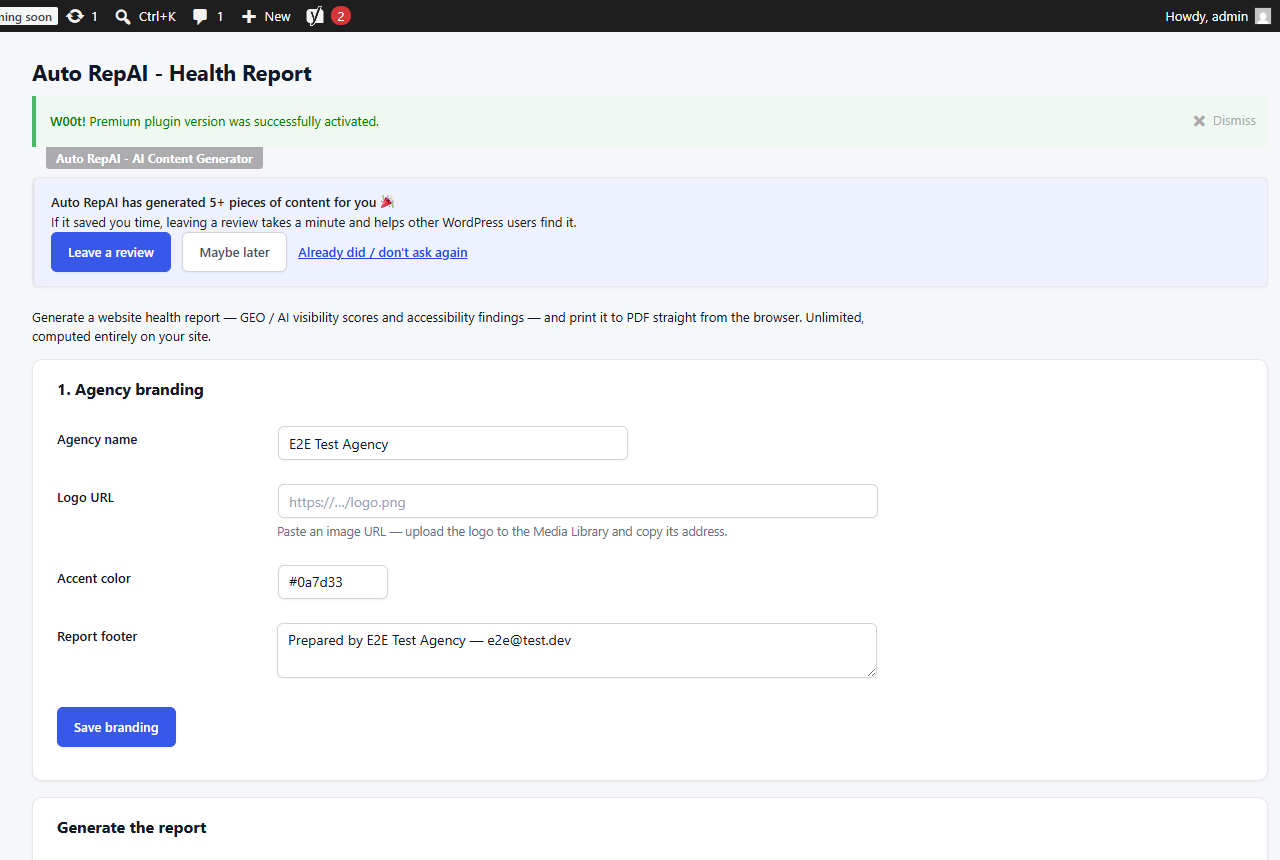
Set your branding once
On Auto RepAI → White-label Report:
- Enter your agency name, logo URL (upload to the media library and paste its address), accent color and report footer (e.g. "Prepared by Acme Digital — hello@acme.agency").
- Click Save branding.
The printed report carries only your brand — no plugin branding anywhere on the sheet. Branding travels with settings export/import, so you configure it once and roll it to every client site.
Report types
Website health (standard) — the free report plus:
- AI repair & content activity for the chosen period (7/30/90 days), with an optional AI spend section (off by default — keep it off for client copies).
- The 28-day GEO score change card from the trend recorder.
EAA accessibility deep-dive — a compliance-shaped report:
- Findings mapped to WCAG 2.1 success criteria (1.1.1, 1.3.1, 2.4.4, 4.1.2) with affected pages, instance counts and a plain-language remediation recommendation per finding.
- Site-level checks (document language, 3.1.1) with pass/fail.
- Per-page findings for every reviewed page.
- An explicit out-of-scope section (contrast, keyboard, forms, media, third-party widgets) and the statement that this is an automated content review, not a legal conformity assessment — so your deliverable never overpromises.
Generate and deliver
Pick the type, client name and period → Generate report → Print / Save as PDF (the print view contains only the branded sheet). Attach the PDF to your monthly client email — the GEO trend card does the "was it worth it?" conversation for you.