Content Generator FREE
Auto RepAI → Content Generator writes complete articles from a topic: title, structured headings, body copy and (optionally) SEO metadata.
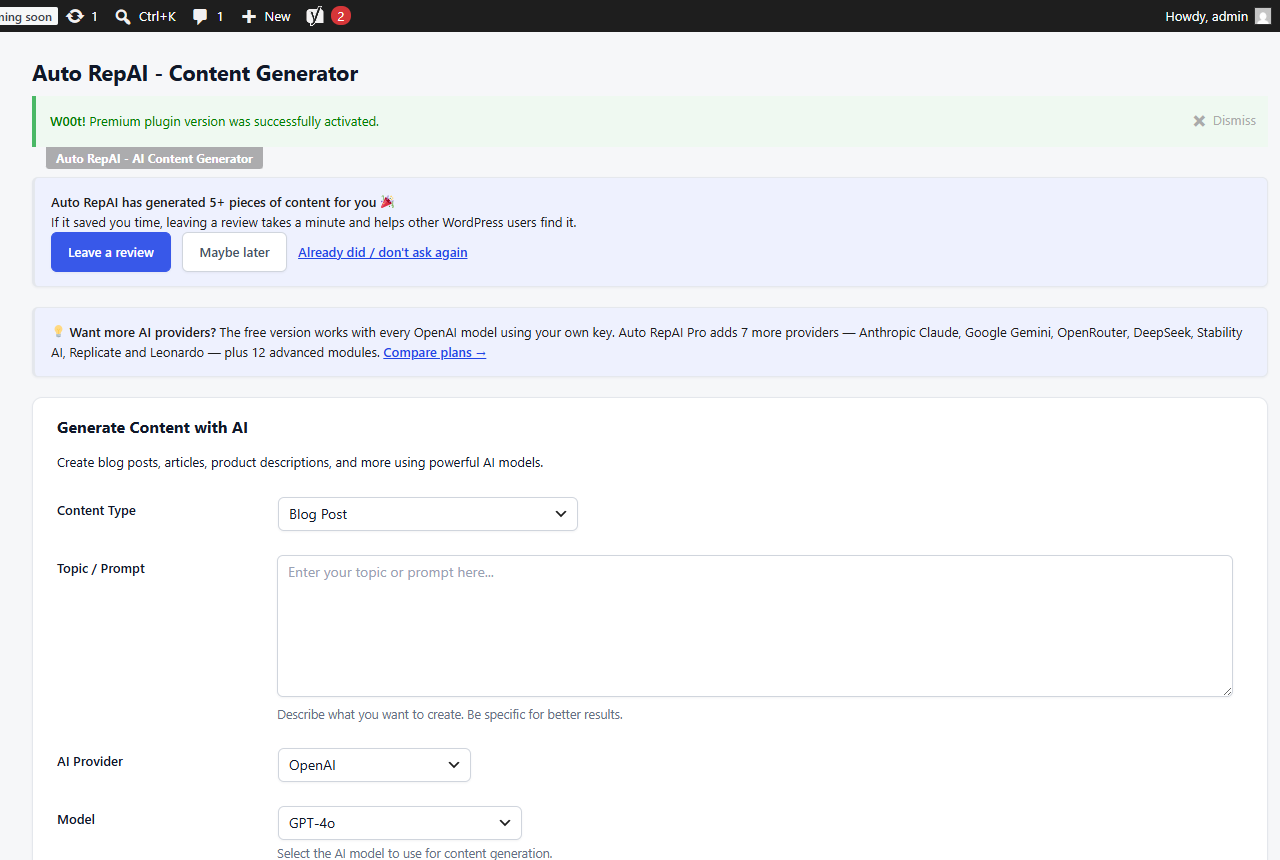
Step by step
- Enter a topic — the more specific, the better the article.
- Pick a content type: blog post, article, product description, social copy or email.
- Choose tone (professional, casual, friendly, formal) and language.
- Choose the provider/model for this run. Free includes every OpenAI text model; Pro adds Claude, Gemini, OpenRouter (hundreds of models) and DeepSeek to the same dropdown.
- Optional switches:
- Generate SEO metadata — meta description, focus keyword and tags, written into Yoast or Rank Math.
- Generate featured image — creates and attaches an image in the same run.
- Click Generate Content, review the draft, then Create Post (saved as a draft).
Cost and history
Each run reports tokens and estimated cost. Everything is logged to Auto RepAI → History with the prompt, result, model and cost, so you can reuse or audit past generations.
Tips for better articles
- Include the audience in the topic: "…explained for first-time gardeners".
- State the angle: comparison, checklist, how-to, opinion.
- Use Comprehensive length for pillar pages, Short for news-style updates.
- Always add your own experience before publishing — that's what ranks in 2026.
Grounded generation (Pro)
With the Pro Knowledge Base, generation is grounded in your own reference content — your terminology, your facts, your brand voice.