Bulk Content FREE
Auto RepAI → Bulk Content produces a whole content calendar in one sitting: paste topics, get drafts.
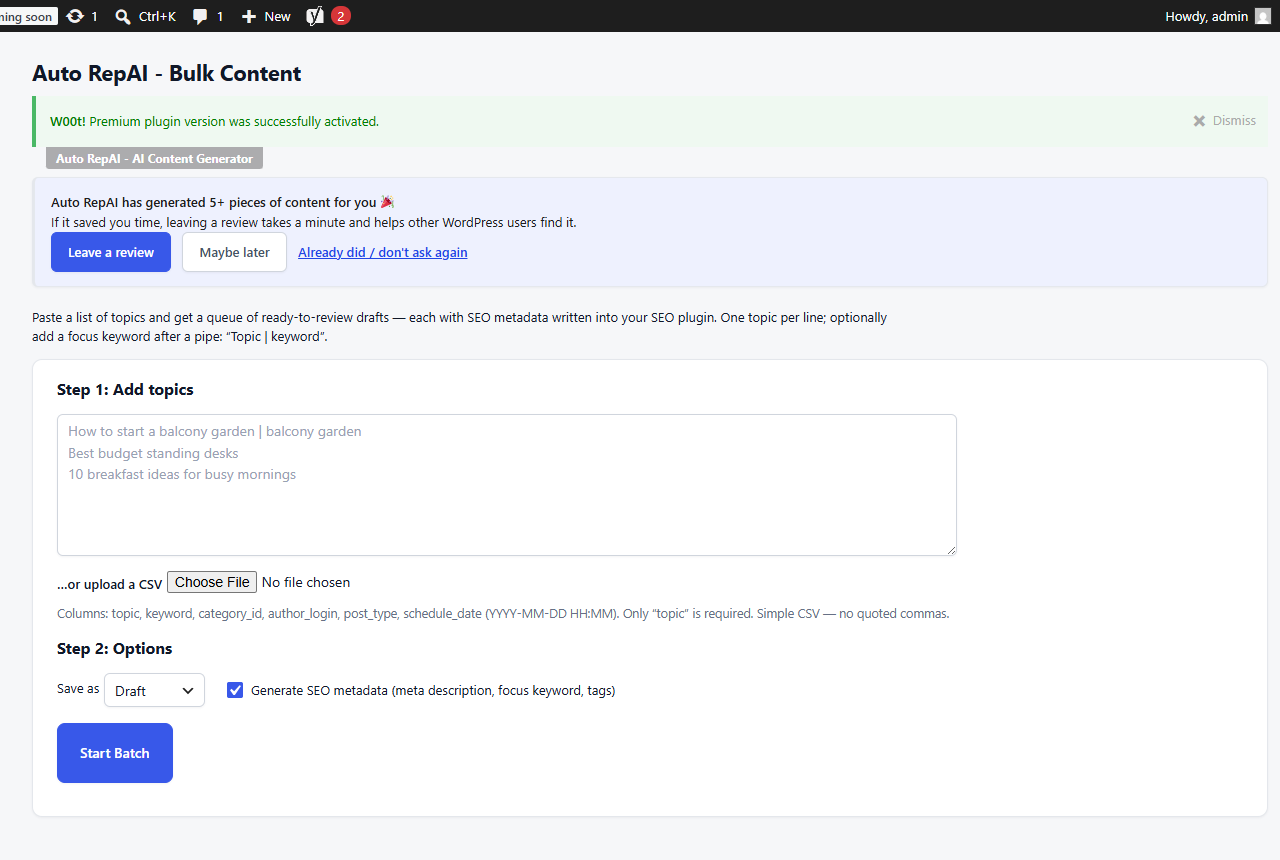
Step by step
- Add topics, one per line. Optionally append a focus keyword after a pipe:
How to start a balcony garden | balcony gardenBest budget standing desks10 breakfast ideas for busy mornings
- Choose Save as: Draft (recommended) or Published.
- Keep Generate SEO metadata on to get a meta description, focus keyword and tags per post.
- Click Start Batch. A cost estimate is shown first — confirm to proceed.
- Watch the queue: each row shows status, cost and an Edit link when done.
There is no cap on batch size in the free plugin — the whole list runs.
CSV import PRO
Pro replaces the plain list with a real editorial pipeline. Upload a CSV with columns:
| Column | Purpose |
|---|---|
topic | Required — the article subject |
keyword | Focus keyword |
category_id | Assign a category |
author_login | Attribute to a specific author (requires editor rights) |
post_type | e.g. post or page |
schedule_date | YYYY-MM-DD HH:MM — posts are scheduled, not just drafted |
Rows honor WordPress permissions: assigning other authors needs edit_others_posts, scheduling needs publish_posts.
Review before publishing
Generate to Draft and skim each post. Ten minutes of human editing per post is the difference between content that ranks and content that reads generated.