Settings reference
Auto RepAI → Settings has four tabs. Saving is instant (AJAX) — you'll see a success notice without a page reload.
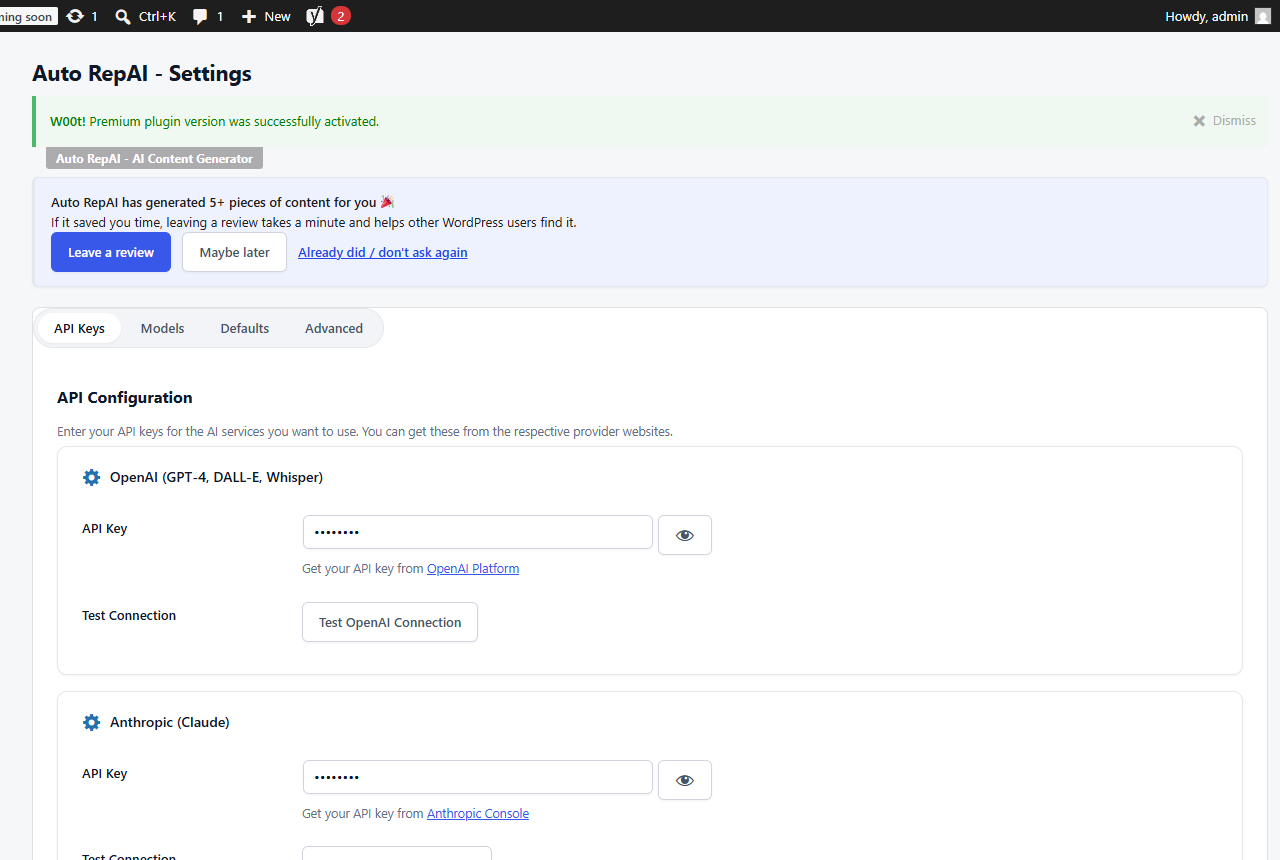
API Keys
Provider keys, each with a Test Connection button. Free shows OpenAI; Pro adds Anthropic, Google, OpenRouter, DeepSeek, Stability AI, Replicate, Leonardo and Reddit app credentials. Keys display masked after saving; an empty or masked field on save means keep the stored key.
Models
Default model per task:
- OpenAI text model — used wherever you don't override per run.
- Image model — GPT Image variants in free; Pro adds Stable Diffusion, Flux, Leonardo and Gemini image models.
- Pro also exposes default models for Claude, Gemini and DeepSeek plus a free-typed OpenRouter model id.
Defaults
| Option | Effect |
|---|---|
| Default provider | Which provider tools use unless overridden |
| Default content length | Short (~500 words) to Comprehensive (~2500) |
| Auto-generate SEO | Produce meta description, focus keyword and tags with each article |
| Featured image by default | Pre-check "Generate Featured Image" in the Content Generator |
| Images per generation | 1–6 images per Image Generator run |
| Default image style | Realistic, digital art, illustration, minimalist, artistic |
| Max tokens / Temperature | Response size limit and creativity dial |
| Default language / tone | Applied wherever you don't choose explicitly |
Advanced
- Usage statistics — your totals plus site-wide 30-day cost and tokens.
- Clear history — wipes the generation history table.
- Pro adds: monthly spend/token limits, per-role limits, event webhooks, a Slack webhook, stock-photo API keys and Settings export/import.
tip
Defaults are just defaults — nearly every screen lets you pick provider, model and options per run.