Health Report FREE
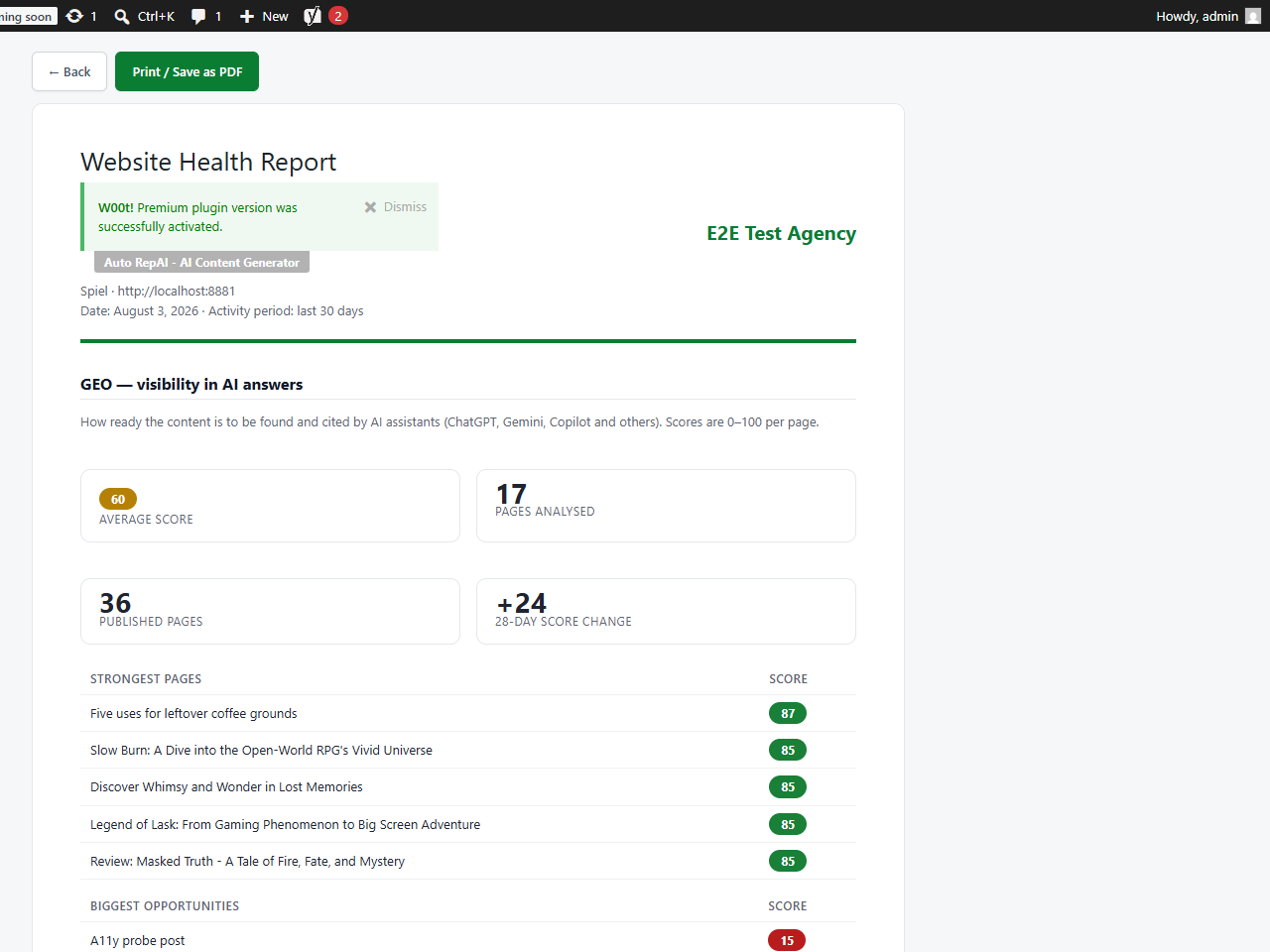
Auto RepAI → Health Report compiles your site's GEO readiness and accessibility findings into a clean, printable report — perfect for stakeholders, clients or your own quarterly review. It's computed entirely on your site, unlimited, with no AI cost.
Generate a report
- Go to Auto RepAI → Health Report.
- Optionally enter Prepared for (a client or project name printed on the report).
- Pick the sections: GEO / AI visibility and Accessibility (EAA / WCAG).
- Click Generate report — it opens in a new tab inside your dashboard.
- Click Print / Save as PDF. The print view hides the WordPress admin — only the report prints.
What's inside
- GEO section — site average score, pages analysed, strongest pages and biggest opportunities (run an AI Visibility scan first to populate scores).
- Accessibility section — average score, issue breakdown (missing alt text, vague links, heading order, header-less tables) and the pages needing the most attention.
Pro: send it under YOUR brand PRO
Auto RepAI Pro turns the Health Report into an agency deliverable:
- White-label branding — your agency name, logo, accent color and footer; no plugin branding anywhere on the printed sheet.
- EAA deep-dive template — findings mapped to WCAG 2.1 success criteria with a remediation plan and per-page details.
- AI activity section — what the AI repaired in the period (with optional spend, off by default for client copies).
- 28-day GEO trend — proof the work is paying off.
Agency workflow
Generate the free report for yourself today; when a client asks "can you send that to me with your logo on it?", that's your Pro trial moment.