Knowledge Base PRO
The Knowledge Base (KB) is how you stop AI from guessing. Whatever you put here — delivery times, prices, policies, product facts, brand voice — grounds the chatbot and the content tools.
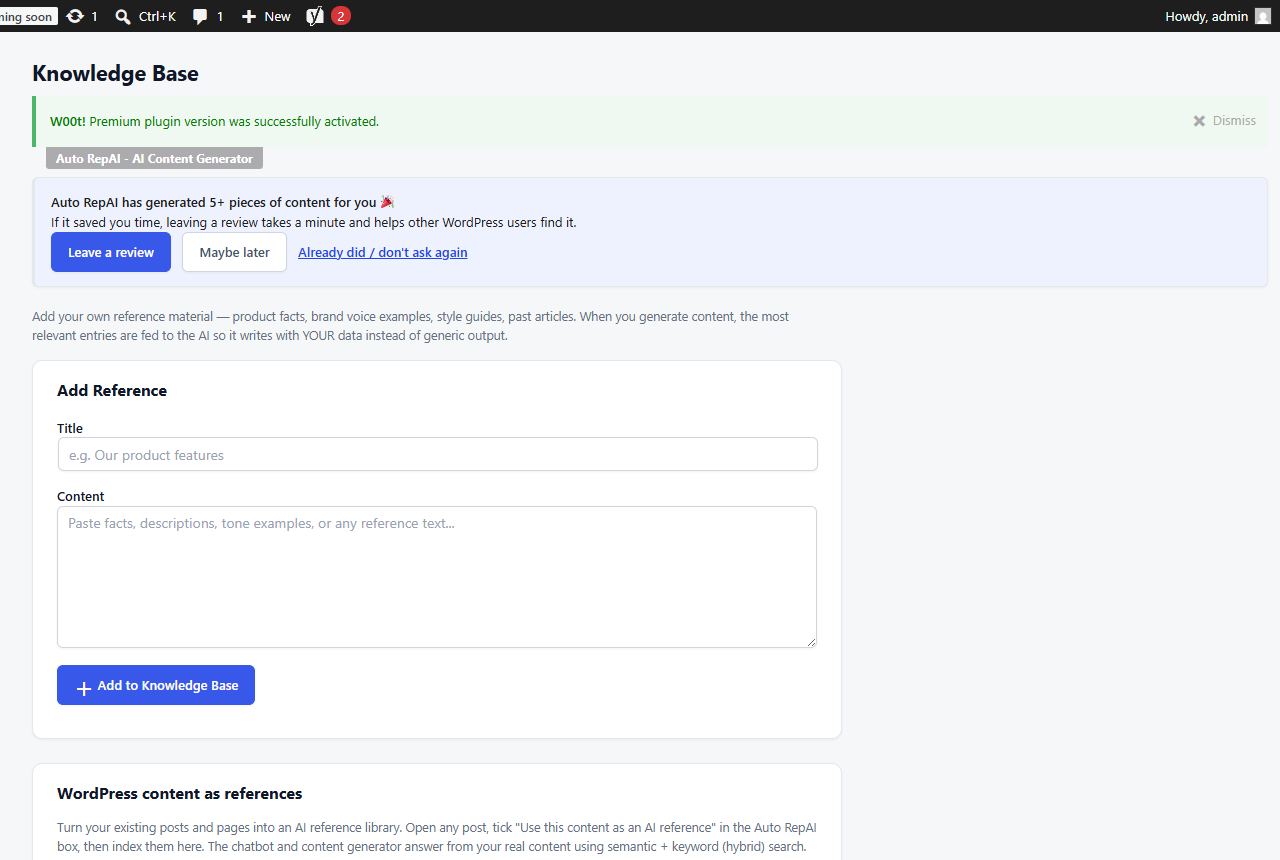
Curated entries
- Go to Auto RepAI → Knowledge Base.
- Add entries as title + content ("Shipping times", "Barista Pro 900 specs", "Return policy"…).
- That's it — the chatbot and generators pull the most relevant entries into every request.
Curated entries always win: they are your explicit facts.
Semantic grounding from your posts (hybrid RAG)
Beyond manual entries, Pro can index your own posts and pages as reference material:
- Per post — in the editor, tick "AI Reference" in the Auto RepAI meta box; the post is chunked and embedded (OpenAI
text-embedding-3-small) on save. - In bulk — on the Knowledge Base page, select posts and click Index selected posts (with a cost preview; embeddings are very cheap).
At question time, retrieval is hybrid: your curated KB entries first, then the most semantically relevant post chunks — with a relevance floor so an off-topic chunk never drowns out your explicit facts.
What grounding changes
Without KB: "I'm not sure about delivery times…" With KB: "Standard delivery is 2–4 business days; express orders placed before 14:00 ship same day."
The same grounding feeds the Content Generator, so new articles use your terminology and never contradict your documented facts.
Index evergreen reference pages (services, policies, product guides) — not news posts. Re-index a post after major edits by saving it again with "AI Reference" ticked.