Automations PRO
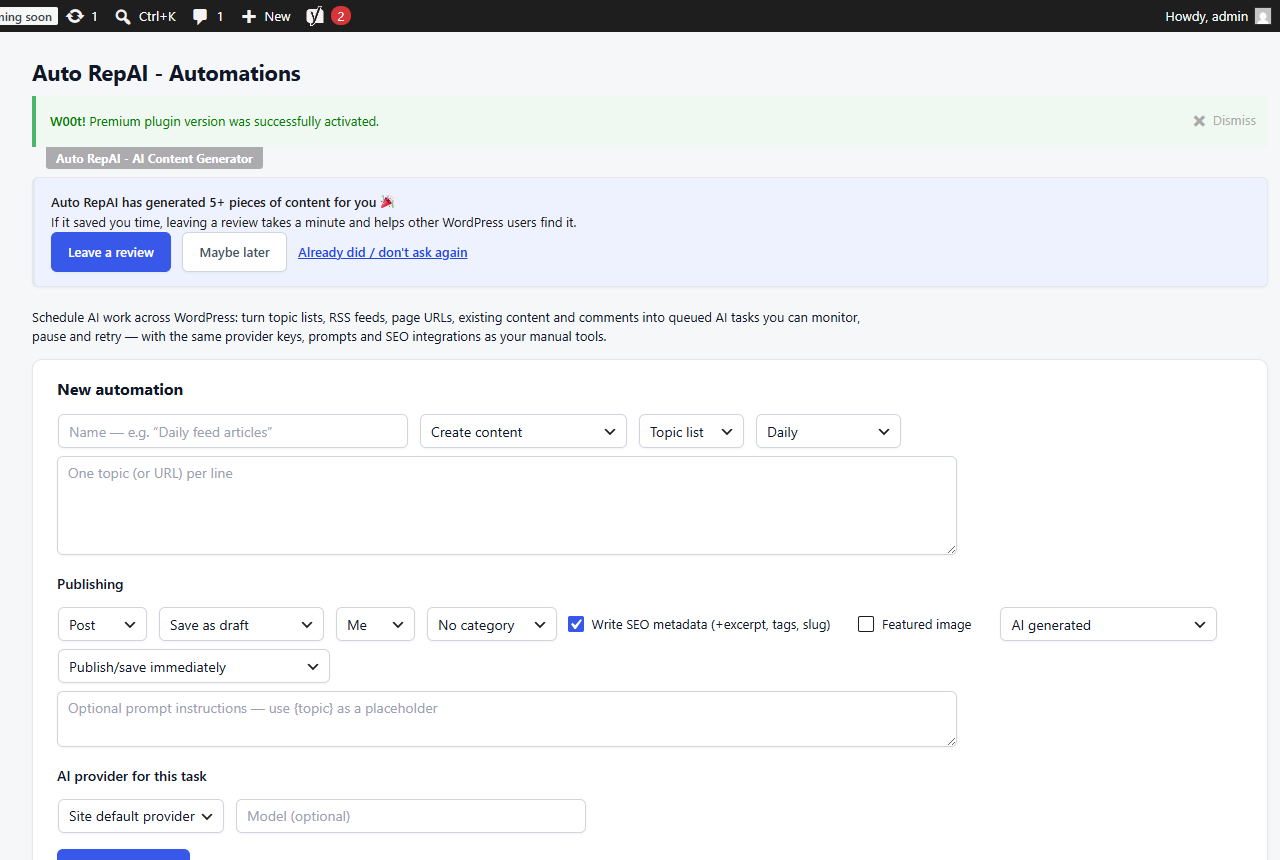
Automations is your scheduled editorial staff. Define tasks once; a background queue executes them a few items at a time, every 15 minutes, with full visibility.
Task types
| Task | What it does |
|---|---|
| Create content — topic list | Works through your list of topics, producing drafts (or scheduled posts) |
| Create content — RSS | Watches feeds (with include/exclude keyword filters and duplicate protection) and writes original articles from new items |
| Create content — page URLs | Generates articles based on pages you point it at |
| Create content — CSV | Upload or paste CSV rows with keyword, category, author, post type and schedule date per row |
| Optimize content | Refreshes your existing posts on rotation (each post at most once per 30 days) |
| Internal linking | Fully automatic: AI picks anchor text in new content and links to your relevant posts (see Internal Linker) |
| Comment replies | Drafts AI replies to new comments, honoring your Comment Replier settings and a daily cap |
Scheduling & control
- Per task: provider/model, immediate or smart-spread scheduling (drip N hours apart), or dates from your CSV.
- Optional extras per task: AI featured image — or a royalty-free stock photo (Pexels/Pixabay, your own free keys) — plus SEO excerpt/tags/slug.
- The queue monitor shows pending/processing/completed/failed items with retry; tasks can be paused, resumed, run now, or deleted; an activity log tracks everything.
- Run now shows a cost-estimate confirmation before spending; per-tick limits and your monthly caps keep budgets safe.
A solid starter setup
- Topic-list task, 2 posts/week, smart-spread, save as Draft.
- Optimize task on your top 20 evergreen posts.
- Internal-linking task so every new post links into your existing content.
- Review drafts every Monday — publish what's good.
Webhooks
Each completed automation item can fire a webhook to Zapier/Make/n8n — e.g. notify Slack or update a content calendar.