AI Forms PRO
AI Forms lets you publish interactive AI tools on your site: a visitor fills a short form, your AI answers inline — and interested visitors become leads.
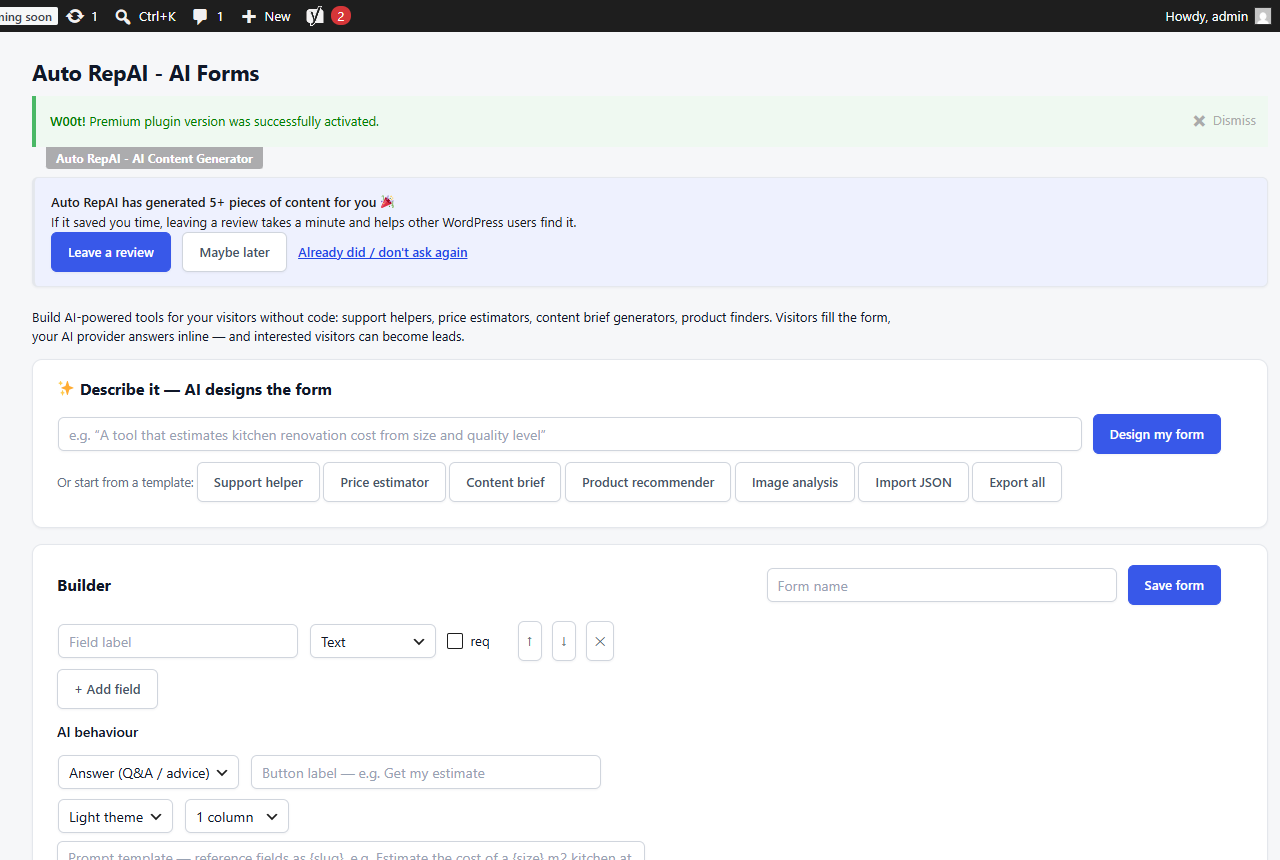
Create a form
Three ways, on Auto RepAI → AI Forms:
- Describe it — "a tool that estimates kitchen renovation cost from size and quality level" → the AI designs the fields and prompt for you (Prompt-to-Form).
- Start from a template — support helper, price estimator, content brief, product recommender, image analysis.
- Build manually — up to 12 fields (text, textarea, select, number, email, image, file) with a live preview.
The prompt uses {field_slug} placeholders that get replaced with the visitor's answers. Image fields are actually seen by vision-capable models — perfect for "what plant is this?" or damage-assessment tools.
Publish it
- Shortcode:
[autore82_form id=123] - Or the AI Form Gutenberg block (pick the form from a dropdown).
Control usage and quality
| Control | Detail |
|---|---|
| Per-form provider/model/temperature/max-tokens | Match cost to the tool's value |
| Separate guest and member quotas | Per day/week/month, with a custom limit message |
| Moderation word filter | Blocks banned terms before any AI call |
| Rate limit + honeypot + same-origin | Bots can't burn your credits |
Leads and follow-up
If a submission contains an email address, it becomes a lead in Lead Management (with the answers attached). Optional Slack notification per submission, and a "Save as draft" handoff turns a great AI answer into a post draft for your editors. Forms can be duplicated, exported/imported as JSON, and usage is logged to History under the form owner.
Quote estimators for service businesses, sizing guides for stores, "analyze my X" tools for consultants — each one is a lead magnet that works while you sleep.